How to use Arthytech’s KMS Server to Activate Windows?
0.1 Introduction
Are you tired of having a watermark in your desktop telling you to activate your Windows? They warn you that you may be a victim of software counterfeiting. How is that even possible? Is there a way to stop these annoying messages when using your precious hardware? In this tutorial, we are using Arthytech’s Free KMS Server to activate your copy of Windows and getting rid of all these troublesome messages.
!!! WARNING !!!
This guide is just for EDUCATIONAL PURPOSE ONLY! Never activate your windows if you do not own one! Always respect intellectual property and purchase a legal copy of Windows.
1.1 Gathering information of your Windows
If you do not know what version of windows you are using, follow the steps below to get your windows information and the corresponding Windows Volume Key
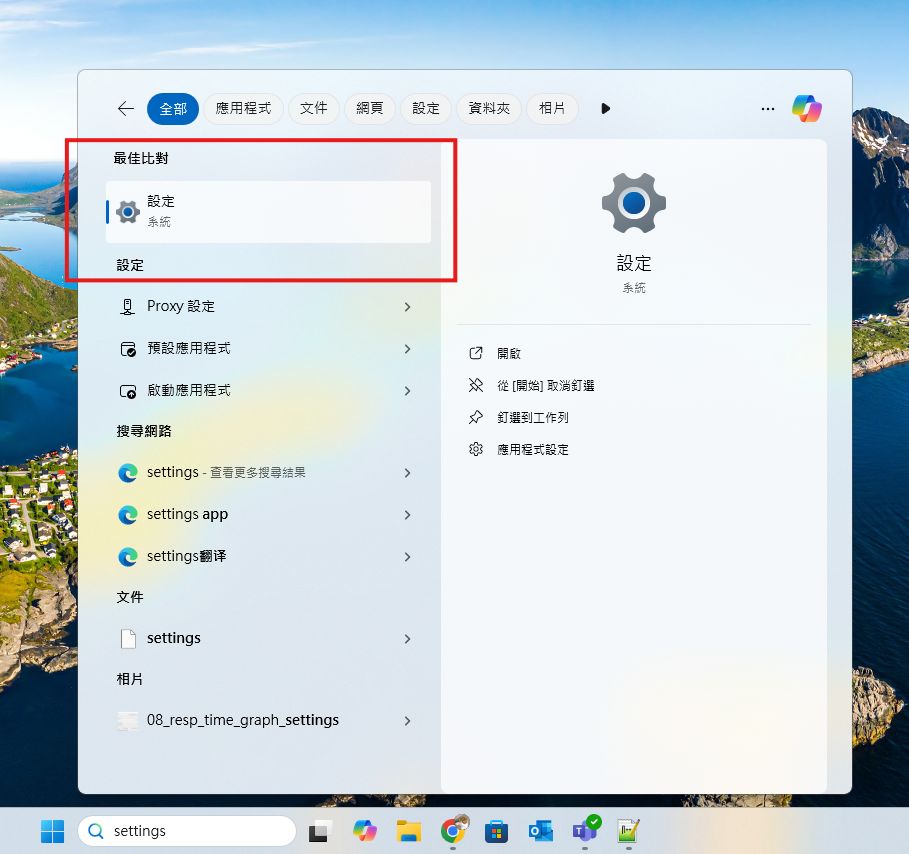
1. In Windows, Search “Settings”
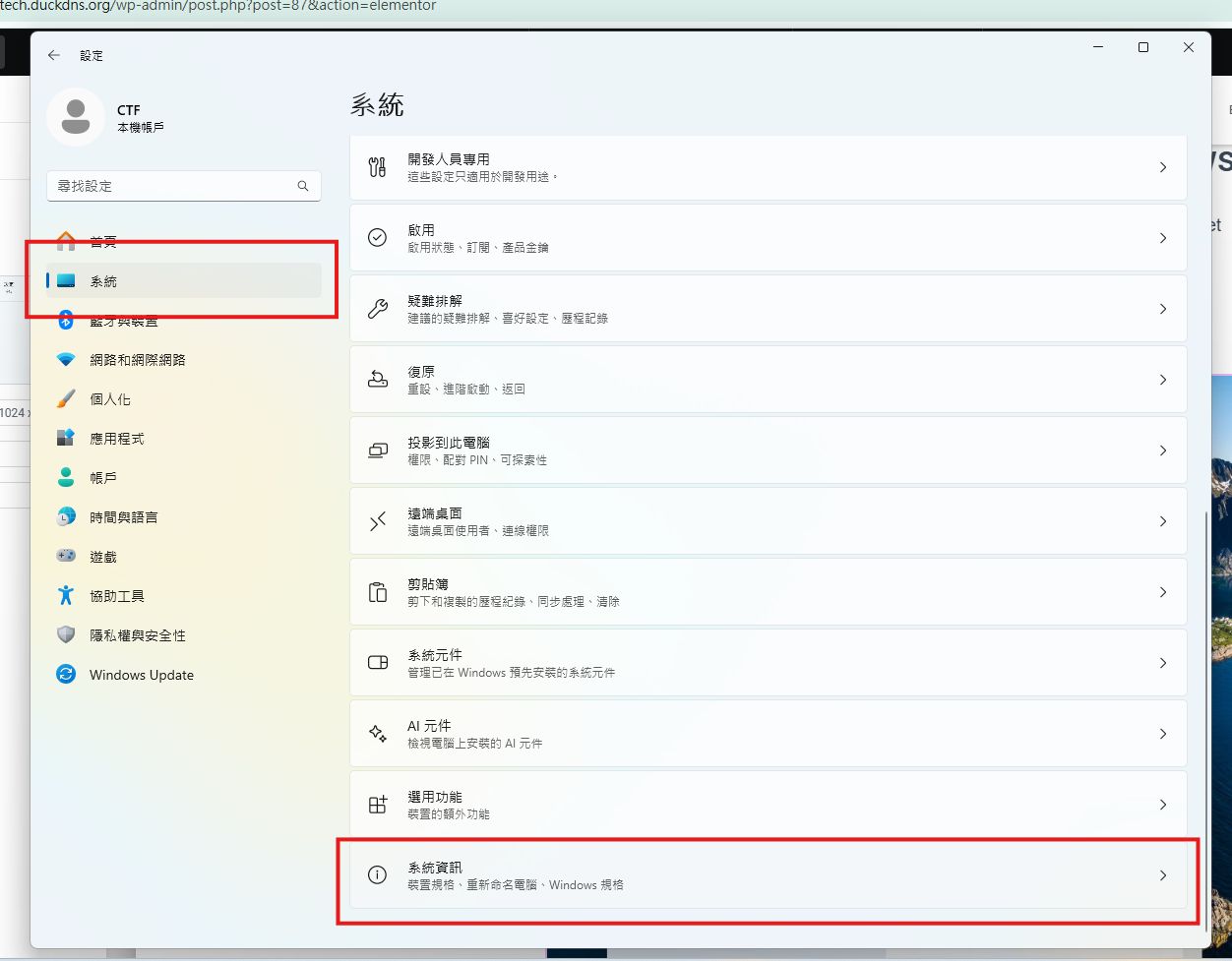
2. Navigate to “System” -> “System Information”
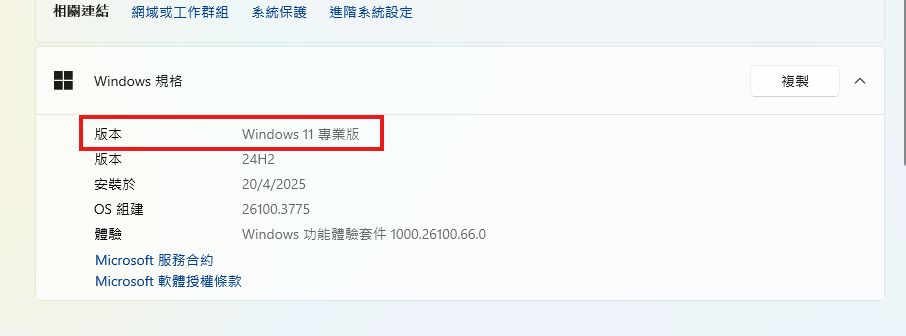
3. In Windows Specification, you can get the version of your Windows. E.g: Windows 11 Professional
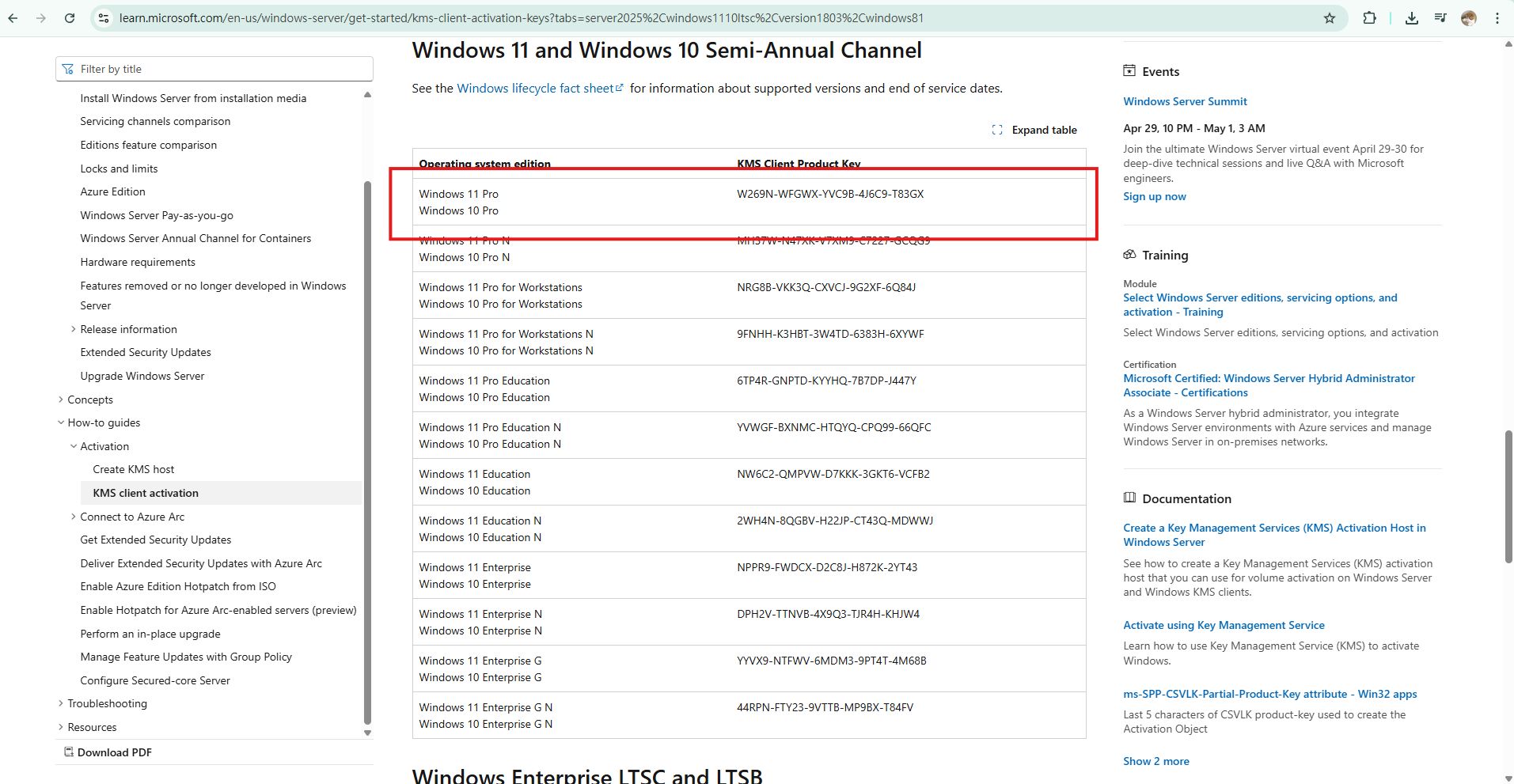
5. Find the KMS Product Key of your Windows. E.g: W269N-WFGWX-YVC9B-4J6C9-T83GX
1.2 Activate your Windows
Next, we are going to paste some command into CMD to activate our Windows using Arthytech’s KMS Server
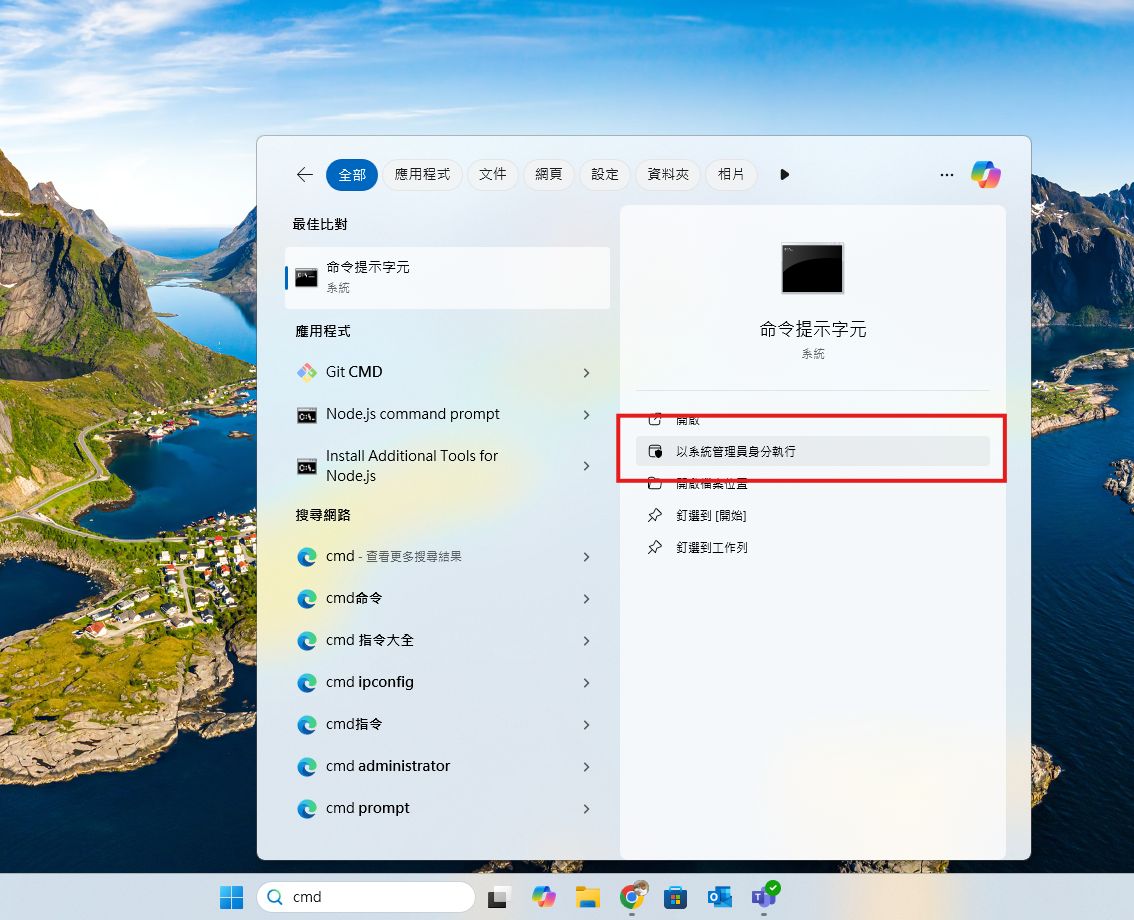
1. In Windows, Search for “CMD”, then select “Run as Administrator
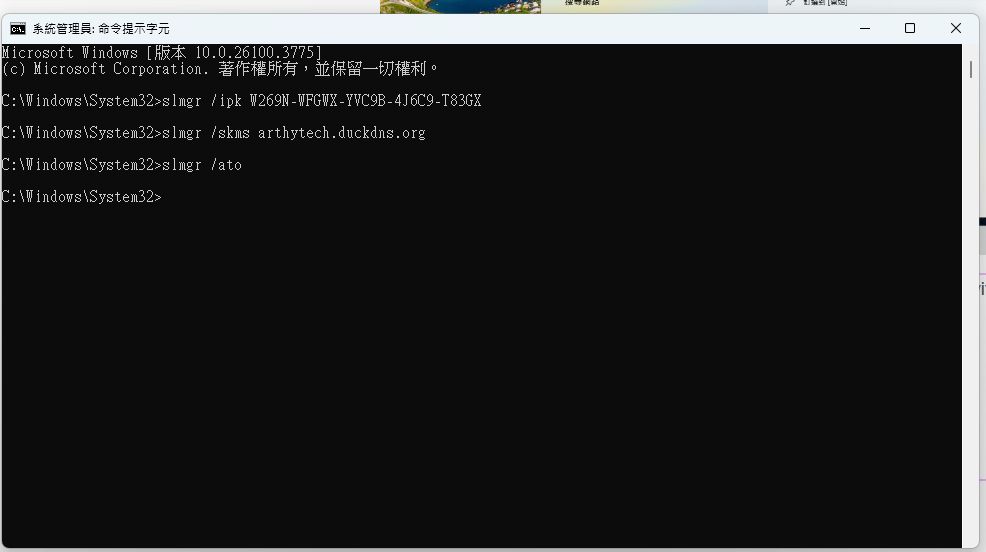
2. Paste the following into CMD. Please replace xxxxx-xxxxx-xxxxx-xxxxx with the KMS Product Key corresponding to your Windows version. E.g: W269N-WFGWX-YVC9B-4J6C9-T83GX for Windows 11 Pro
slmgr /ipk xxxxx-xxxxx-xxxxx-xxxxx
slmgr /skms arthytech.duckdns.org
slmgr /ato
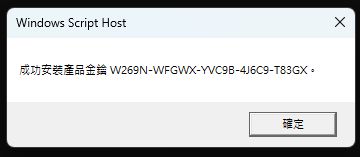
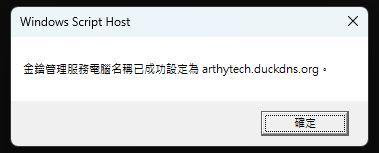
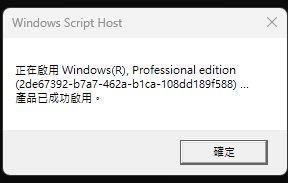
3. You should get the following confirmation prompt after pasting each command.
2.1 Summary
Congratulations! You have successfully activated your Windows!